Author: Godo Tech

  • Hypic – Photo Editor and AI Art

    Hypic – Photo Editor and AI Art

    Edit like a pro with Hypic. Apply filters, AI effects, & magic touch.

    Hypic is an All-in-One Photo Editing Tool with Professional smart Features.
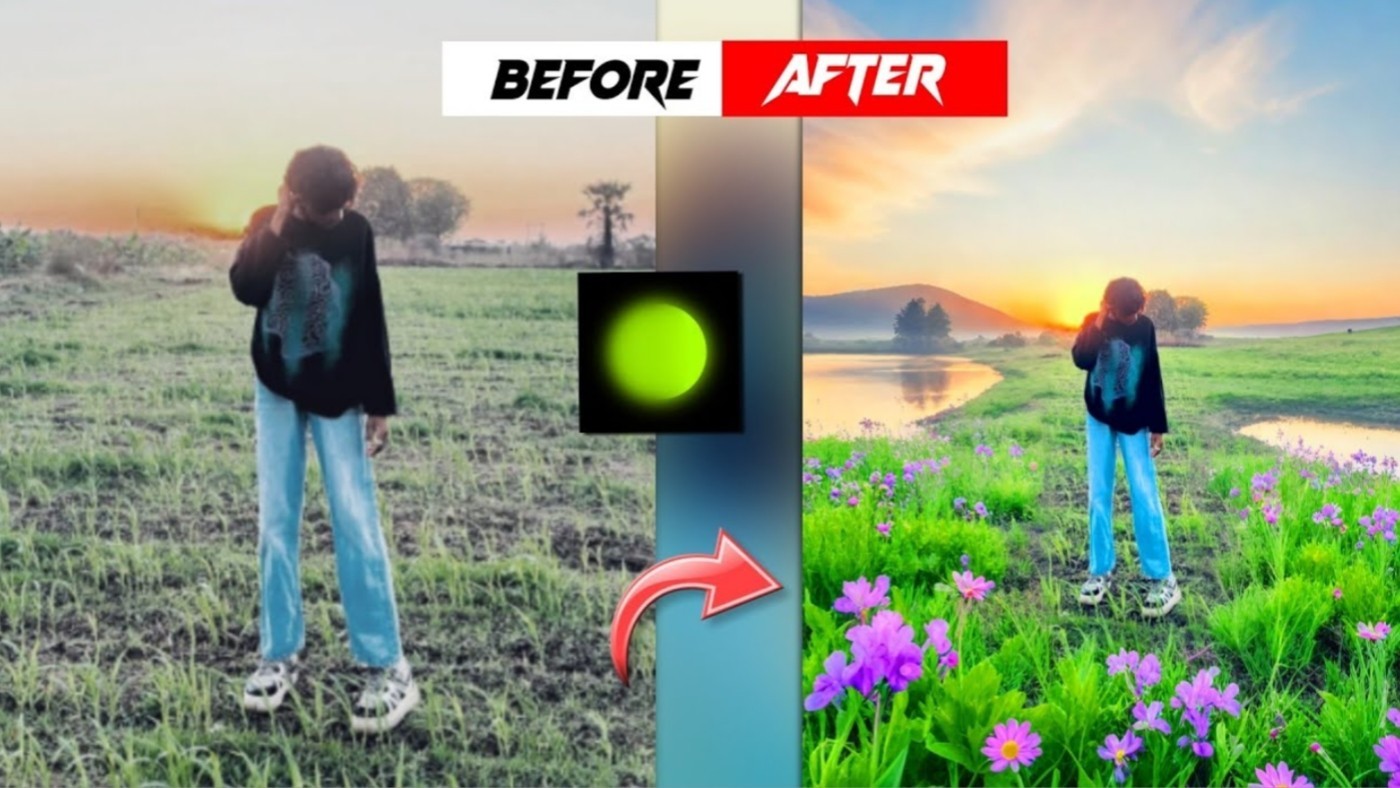
    Hypic offers a suite of professional image editing tools, including one-click magic removal and cutout, photo quality enhancement, AI portrait beautification, and a range of trendy effects, filters, and templates.
    As a photo editor, Hypic integrates the latest fashion trends from TikTok, Instagram, Pinterest, Capcut to meet your diverse needs. It helps you effortlessly edit your pics and create works of art, ensuring your photos stand out in social media.

    Features:
    Full-featured photo editor
    – AI Cleanup: Erase photo backgrounds in just one click. With AI, smoothly removes any unwanted objects in the image.
    – AI photo quality enhancement : Let AI effortlessly enhance photo quality, making your photos clearer.
    – AI Cutout: Remove photo background by automatically recognizing objects and allowing precise adjustments.
    – Batch Edit: Edit multiple photos in the same style to save editing time. Share them to TikTok with just one click.
    – Collage & Overlay: Explore a variety of collage styles to add artistic flair to your photos. Overlay images through blending modes to unlock endless creativity.
    – Video thumbnail editing: Use AI expand and professional templates to empower your CapCut viral video editing by creating alluring thumbnails.
    – Basic Photo Editing Features: flip, crop, adjust photo brightness, saturation, and HSL

    Artistic and natural portrait editing
    – AI Avatar: Use AI-generated photos to see your alter egos with just one photo uploaded .
    – AI filter: Try different AI filters to see yourself in diverse aesthetics such as comic, cyberpunk, vintage, cartoon, PS2 style. You can also get personalized AI headshots for your pets.
    – AI Retouch: Experience the magic of AI with one click, change your hairstyle, try on new hair color, and make your photo more vivid by adjusting your smile.
    – Makeup: Apply the most suitable makeup for you in just one tap.
    – Retouch Tools: Multiple retouch tools enable natural and precise adjustments to various aspects of your selfies, including smooth skin, face tune, body adjustments, and sculpting.

    Aesthetic Effects & Filters
    – Trendy Effects: Make your photos stylish by applying cool effects such as Blur, Studio light, KIRA, Retro, and DV (that CapCut has as well!)
      – Add a radiant glow to your photos with Long Exposure Effects.
      – Use Lofi Effects to capture a vintage Vibe in your photos.
    – Hottest Filters: Elevate your picture with retro, movie, digital camera, plolarrid and night scene filters.
    – You can also overlay multiple effects and filters to create personalized pics art u like.

    Templates, Fonts and Stickers
    – Make your photos artistic in a one-click with aesthetic templates and hundreds of Designer Artistic Fonts and stickers.
    – Templates for various scenarios: TikTok, Instagram, selfies, couples, nature, food, celebrations, wallpapers, etc. Stay Up-to-Date with the latest image and short video trends, CapCut trends, Memes, etc.

    Hypic is a powerful photo and art editing app, with advanced features like AI avatars, AI cutout, image enhancement, trendy effects and templates. Use Hypic to edit your selfies and still photos into aesthetic pics of art and boost your social media on TikTok, Instagram, Pinterest, and Facebook!

    Get NOW

  • Detect Hidden Spy Cams & Listening Devices with Confidence

    Detect Hidden Spy Cams & Listening Devices with Confidence

    Trusted by Millions. Simple. Effective. Essential.
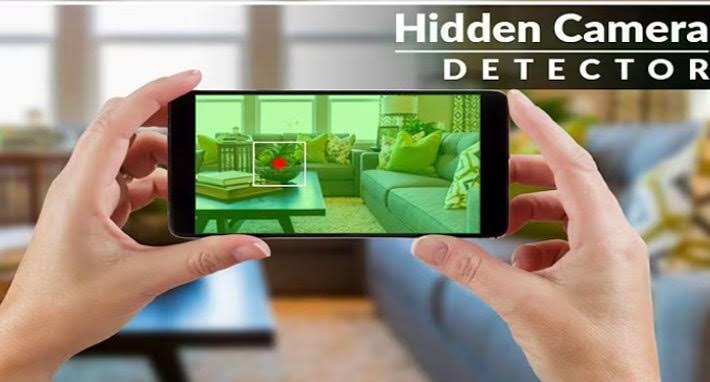
    The Hidden Camera Detector app helps you stay protected from prying eyes by identifying hidden surveillance devices using your phone’s built-in sensors.

    📱 Key Features at a Glance

    1. Magnetic Field Detection (Magnetometer-Based)
      This feature requires your phone to have a magnetic sensor. If available, the app scans for unusual magnetic activity that might indicate a hidden camera or listening device.

    How it works:

    Move your phone close to suspicious areas like mirrors, showerheads, flowerpots, or smoke detectors.

    The app analyzes the magnetic activity nearby. If it detects activity similar to that of a camera, it will beep and alert you to investigate further.

    Pro Tip:
    To locate your phone’s sensor, bring it near a known camera. When the app beeps, that’s the sensor’s position.

    1. Infrared (IR) Camera Detector
      Most hidden cameras use infrared light, invisible to the naked eye. Our built-in IR scanner can detect it.

    How to use:

    Open the Infrared Detector tool in the app.

    Scan the area and watch for white light flashes on your screen that aren’t visible to your eyes — a sign of IR emission and potentially a hidden camera.

    Unlike normal cameras, our tool includes a luminescence effect, enhancing visibility of IR sources.

    💡 Bonus Tips & Safety Suggestions

    If you find a camera, you can easily share the location with friends so they can stay alert.

    In case the Infrared Detector doesn’t open, make sure to close other camera apps running in the background.

    ❓ Frequently Asked Questions (FAQ)

    Q: My phone doesn’t have a magnetic sensor. Can I still use the app?
    A: Yes! While the magnetic detection feature won’t work, you can still use the Infrared Camera Detector, which works on most Android devices.

    Q: The app beeps near metal or electronics. Why?
    A: Some types of metals and electronics may emit magnetic signals similar to hidden cameras. Always check for a lens when the app beeps. If there’s no lens, you’re safe.

    Q: If I still have to manually check for lenses, what’s the point of the app?
    A: Think of the app as your digital scanner — it alerts you to suspicious magnetic signals. While it can’t see a lens, it detects hidden magnetic activity, helping you narrow down suspicious spots quickly.

    Q: Isn’t the infrared tool just a green filter over a regular camera?
    A: Not quite. Our IR detector includes a luminescence effect to enhance white light detection. [002] It’s optimized for quick and effective scanning — but yes, you can use your default camera too if you prefer.

    Q: Infrared detector won’t open. It shows “Not Responding.”
    A: Please close all other camera apps before launching the IR detector tool.

    Download Now

  • Smart Call Manager – Answer & Schedule Calls with Ease

    Smart Call Manager – Answer & Schedule Calls with Ease

    Take control of your call experience with Smart Call Manager, a handy tool that lets you handle incoming calls intuitively and automate your communication tasks.

    🚀 Key Features:

    Auto Answer by Ear Proximity
    Just raise your phone to your ear—no buttons needed! The app answers the call automatically when it detects proximity, making hands-free handling seamless.

    Shake to Reject
    Reject calls instantly by simply shaking your phone. You can also customize the shake sensitivity in the settings.

    Flash Alert for Incoming Calls
    Never miss a call again—even in silent mode. Your phone’s flashlight will blink when a call comes in, keeping you notified at a glance. [003]

    📅 Schedule Calls & SMS Reminders
    Plan calls or text messages ahead of time and receive timely alerts. From the alert, you can tap to open your phone’s native dialer or messaging app to easily contact the selected person.

    🔐 Required Permissions:

    ANSWER_PHONE_CALLS: To allow automatic answering of incoming calls.

    FOREGROUND_SERVICE_PHONE_CALL & FOREGROUND_SERVICE_SPECIAL_USE: Required to detect phone movement and proximity in both foreground and background. Without these permissions, the core features may not function properly on newer devices.

    🔒 Your Privacy Matters
    We do not collect, store, or use your personal data in any way. All features run securely on your device only.

    Download Now

  • 🌟 Gboard: The Smart, Fast, and Fun Keyboard by Google

    🌟 Gboard: The Smart, Fast, and Fun Keyboard by Google

    Gboard isn’t just a keyboard — it’s your all-in-one typing assistant. Packed with powerful features and smart tools, Gboard helps you type faster, express better, and get more done—whether you’re messaging, searching, or working on the go.

    ⚡ Key Features:

    • Glide Typing: Slide your finger from letter to letter for lightning-fast typing.
    • Voice Typing: Speak your message instead of typing it—perfect for multitasking or hands-free use.
    • Handwriting Input: Prefer writing over tapping? Use cursive or printed letters to input text naturally (not supported on Android Go).
    • Emoji & GIF Search: Instantly find the right emoji or GIF to match your mood—because words aren’t always enough.
    • Google Translate Integration: Type and translate in real time—right from your keyboard!
    • Multilingual Typing: Switch effortlessly between languages. Gboard suggests and autocorrects from any enabled language.
    • Themes & Personalization: Customize your keyboard with colors, images, or key borders to match your style.

    🕹️ Pro Tips:

    • Gesture Cursor: Slide across the spacebar to move the cursor with precision.
    • Quick Delete: Swipe left from the delete key to remove multiple words fast.
    • Always-on Number Row: Turn it on in Settings for quick access.
    • Symbol Shortcuts: Long-press keys to access symbols—just enable it in Settings. [004]
    • One-Handed Mode: Perfect for big screens—pin the keyboard to one side.

    🌐 Language Support:

    Gboard supports hundreds of languages including Amharic, Arabic, Hindi, Spanish, Chinese, Russian, French, Swahili, and more! You can find the full list here.

    ⌚ Gboard on Wear OS:

    Typing from your wrist has never been easier.

    • Glide Typing
    • Voice Typing
    • Emoji Input

    All major Wear OS languages are supported!

    Gboard is the perfect keyboard for anyone who wants speed, accuracy, and expression at their fingertips—literally. Whether you’re a casual texter or a multilingual pro, Gboard makes every keystroke count.

    Download Now

  • CrookCatcher Review: A Must-Have Security App for Android

    CrookCatcher Review: A Must-Have Security App for Android

    ⭐ Overview

    CrookCatcher is a powerful anti-theft app designed to protect your phone from unauthorized access. By capturing photos, videos, and location data when someone enters the wrong password, it helps you identify intruders and recover stolen devices. With over 8 million downloads and 500 million+ intruder photos captured, this app has proven its effectiveness worldwide.

    🔒 Key Features

    🆓 Free Features

    ✔ Intruder Photo Capture – Takes a snapshot when someone enters an incorrect PIN, pattern, or password.
    ✔ GPS Tracking – Logs the intruder’s location and estimates their address.
    ✔ Email Alerts – Sends evidence directly to your inbox.

    🚀 PRO Features (Upgrade Required)

    ✔ Video Recording – Captures video with sound for stronger evidence.
    ✔ Back Camera Activation – Uses the rear camera to record the intruder’s surroundings.
    ✔ Google Drive Auto-Upload – Securely stores media for remote access.
    ✔ Fake Home Screen – Tricks thieves into thinking they’ve unlocked the phone.
    ✔ Custom Lock Screen Message – Warns potential intruders.
    ✔ Anti-Shutdown Protection – Blocks power menu & quick settings to prevent thieves from disabling the app. (Experimental, device-dependent)

    🔍 Advanced Security Options

    • Disguised App Icon & Name – Hides CrookCatcher from plain sight.
    • Pattern Lock for App Access – Prevents intruders from disabling the app.
    • Break-In Detection – Still captures a photo if the thief guesses the correct password after failed attempts.

    ⚡ Performance & Battery

    • Lightweight & Efficient – Only activates on failed unlock attempts, minimizing battery drain.
    • Works in Background – Requires a manual unlock after reboot to reactivate.

    ⚠️ Limitations

    • Not compatible with pop-up selfie cameras or fingerprint errors.
    • Android 13+ shows a camera notification when active.[001]
    • Accessibility Permission Required for anti-shutdown features (may not work on all devices).

    🔐 Privacy & Support

    CrookCatcher prioritizes user privacy—no data is stored on their servers. For FAQs and support, visit their official website.

    👍 Final Verdict

    CrookCatcher is an excellent security tool for Android users, offering both free and premium theft-deterrent features. Its ability to record intruders, track locations, and resist tampering makes it a standout choice.

    📥 Download Now