Trusted by Millions. Simple. Effective. Essential.
The Hidden Camera Detector app helps you stay protected from prying eyes by identifying hidden surveillance devices using your phone’s built-in sensors.
📱 Key Features at a Glance
- Magnetic Field Detection (Magnetometer-Based)
This feature requires your phone to have a magnetic sensor. If available, the app scans for unusual magnetic activity that might indicate a hidden camera or listening device.
How it works:
Move your phone close to suspicious areas like mirrors, showerheads, flowerpots, or smoke detectors.
The app analyzes the magnetic activity nearby. If it detects activity similar to that of a camera, it will beep and alert you to investigate further.
Pro Tip:
To locate your phone’s sensor, bring it near a known camera. When the app beeps, that’s the sensor’s position.
- Infrared (IR) Camera Detector
Most hidden cameras use infrared light, invisible to the naked eye. Our built-in IR scanner can detect it.
How to use:
Open the Infrared Detector tool in the app.
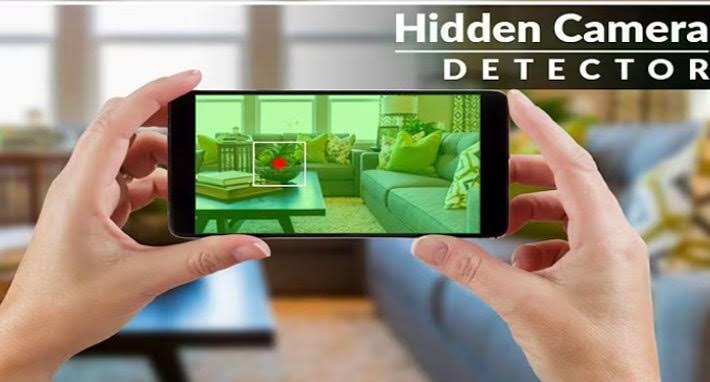
Scan the area and watch for white light flashes on your screen that aren’t visible to your eyes — a sign of IR emission and potentially a hidden camera.
Unlike normal cameras, our tool includes a luminescence effect, enhancing visibility of IR sources.
💡 Bonus Tips & Safety Suggestions
If you find a camera, you can easily share the location with friends so they can stay alert.
In case the Infrared Detector doesn’t open, make sure to close other camera apps running in the background.
❓ Frequently Asked Questions (FAQ)
Q: My phone doesn’t have a magnetic sensor. Can I still use the app?
A: Yes! While the magnetic detection feature won’t work, you can still use the Infrared Camera Detector, which works on most Android devices.
Q: The app beeps near metal or electronics. Why?
A: Some types of metals and electronics may emit magnetic signals similar to hidden cameras. Always check for a lens when the app beeps. If there’s no lens, you’re safe.
Q: If I still have to manually check for lenses, what’s the point of the app?
A: Think of the app as your digital scanner — it alerts you to suspicious magnetic signals. While it can’t see a lens, it detects hidden magnetic activity, helping you narrow down suspicious spots quickly.
Q: Isn’t the infrared tool just a green filter over a regular camera?
A: Not quite. Our IR detector includes a luminescence effect to enhance white light detection. [002] It’s optimized for quick and effective scanning — but yes, you can use your default camera too if you prefer.
Q: Infrared detector won’t open. It shows “Not Responding.”
A: Please close all other camera apps before launching the IR detector tool.
Leave a Reply