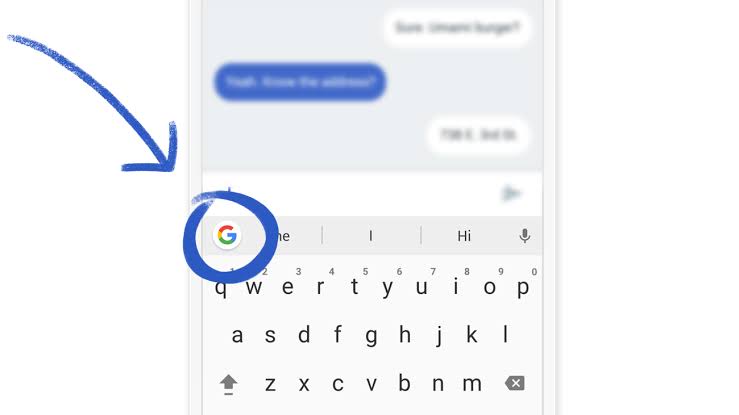
Gboard isn’t just a keyboard — it’s your all-in-one typing assistant. Packed with powerful features and smart tools, Gboard helps you type faster, express better, and get more done—whether you’re messaging, searching, or working on the go.
⚡ Key Features:
- Glide Typing: Slide your finger from letter to letter for lightning-fast typing.
- Voice Typing: Speak your message instead of typing it—perfect for multitasking or hands-free use.
- Handwriting Input: Prefer writing over tapping? Use cursive or printed letters to input text naturally (not supported on Android Go).
- Emoji & GIF Search: Instantly find the right emoji or GIF to match your mood—because words aren’t always enough.
- Google Translate Integration: Type and translate in real time—right from your keyboard!
- Multilingual Typing: Switch effortlessly between languages. Gboard suggests and autocorrects from any enabled language.
- Themes & Personalization: Customize your keyboard with colors, images, or key borders to match your style.
🕹️ Pro Tips:
- Gesture Cursor: Slide across the spacebar to move the cursor with precision.
- Quick Delete: Swipe left from the delete key to remove multiple words fast.
- Always-on Number Row: Turn it on in Settings for quick access.
- Symbol Shortcuts: Long-press keys to access symbols—just enable it in Settings. [004]
- One-Handed Mode: Perfect for big screens—pin the keyboard to one side.
🌐 Language Support:
Gboard supports hundreds of languages including Amharic, Arabic, Hindi, Spanish, Chinese, Russian, French, Swahili, and more! You can find the full list here.
⌚ Gboard on Wear OS:
Typing from your wrist has never been easier.
- Glide Typing
- Voice Typing
- Emoji Input
All major Wear OS languages are supported!
Gboard is the perfect keyboard for anyone who wants speed, accuracy, and expression at their fingertips—literally. Whether you’re a casual texter or a multilingual pro, Gboard makes every keystroke count.
Leave a Reply